 Defense Tech Base
Review selected records
Browse collected bills and policy documents by topic and jurisdiction.
Policy research · Excel + CSV
Review selected federal and state bills and track the questions that affect your company.
Individual $39 · Team $99 · One-time purchase
Inside the workbook
Inspect the worksheet layout, or download the free CSV sample to review source records.
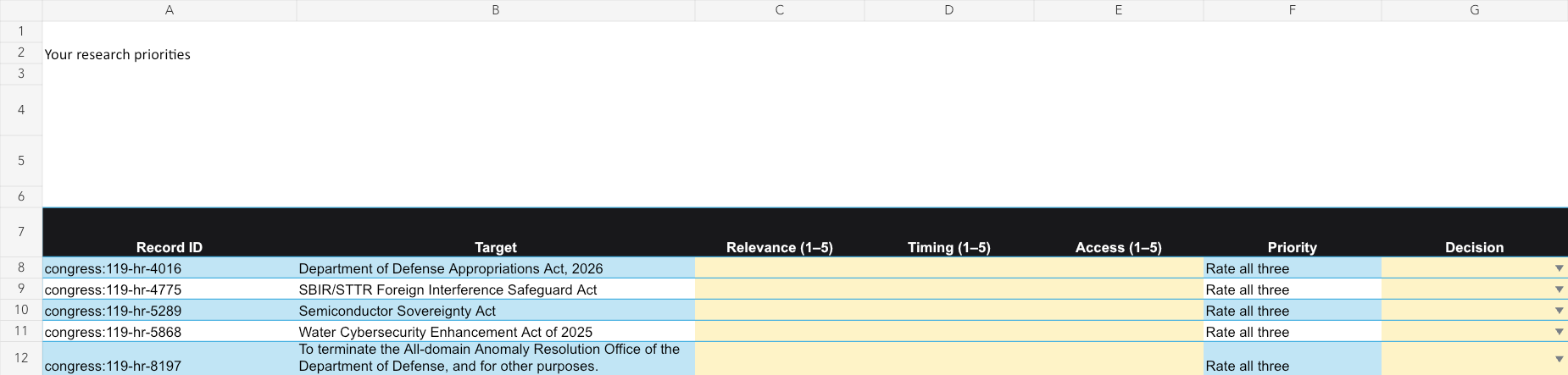
Worksheet layout preview. Check the included records and dated edition below for current coverage.
Try the free Excel sample ↓ Download free CSV sample ↓For teams reviewing policy developments relevant to their business.
Browse collected bills and policy documents by topic and jurisdiction.
Use the triage tables to choose developments worth investigating.
Record a review action, owner and due date in the worksheet.
Includes prepared research and task-specific planning sheets: Policy questions, Review actions, Verified excerpts. Source facts are separate from your editable inputs.
Starting selections: Comment-deadline records first, then stable source ID.
Eleven-topic bill collection, jurisdiction comparisons and an editable action tracker
Edition 2026-10-14. Original source observation dates are included in the workbook.
Proposed bills and rules are not enacted requirements. Coverage is selective and does not determine legal applicability.
Table counts can overlap. Different views of the same records are not additional unique records.
Use Policy questions to inspect collected subject, actor and exception excerpts with the source stage.
Record your company activity and applicability evidence in Review actions.
Check official text, effective dates and exceptions before treating a development as a requirement.
Ratings reflect your team’s judgment; they do not predict outcomes.
A ZIP containing an .xlsx workbook, companion CSVs, a README and your purchased license. No macros are required. Use the CSVs to import tables into another tool. Preview the worksheet layout before buying.
After Stripe confirms payment, your private receipt provides the download. Keep that receipt link. Individual buyers can use it to upgrade the same edition to Unlimited Team by paying the price difference. If delivery fails, contact us with your order number; never send card details.
Your purchase includes the 2026-10-14 edition. Later editions are sold separately.
This public page and its sample are free to share with your team. Purchased workbook access follows your selected license under the download terms.
Share this pack by email