Defense market research · Excel workbooks

Find buyers.
Compare funding.
Research companies.

Source-linked Excel workbooks with editable comparison and planning sheets. Choose the research you need, then make it your own.

From $39 · One-time purchase · Excel + CSV

Buyer research workbook.xlsx
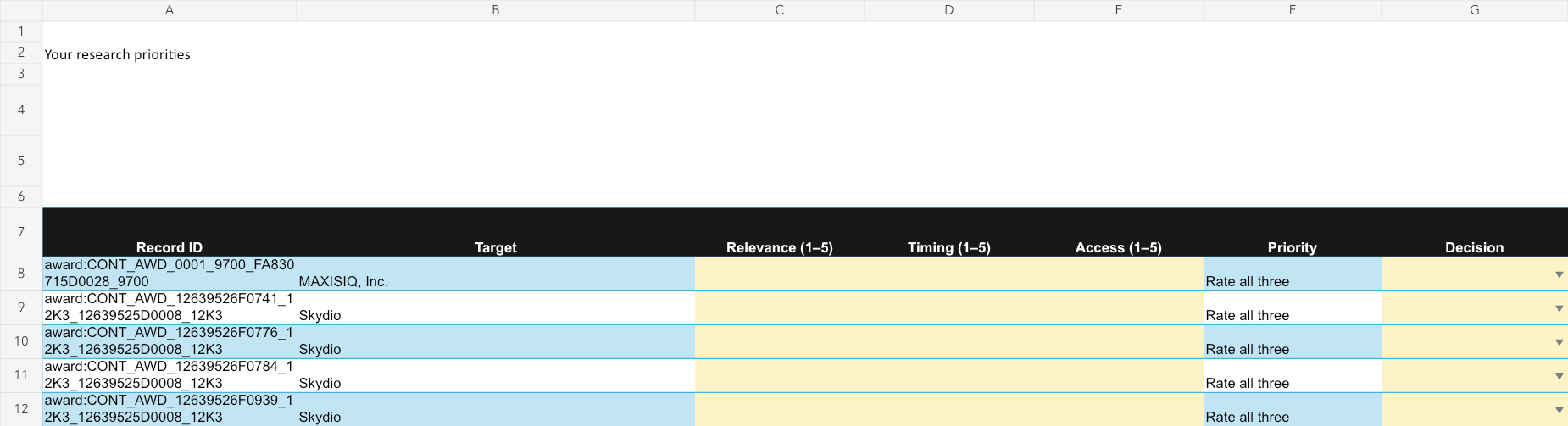
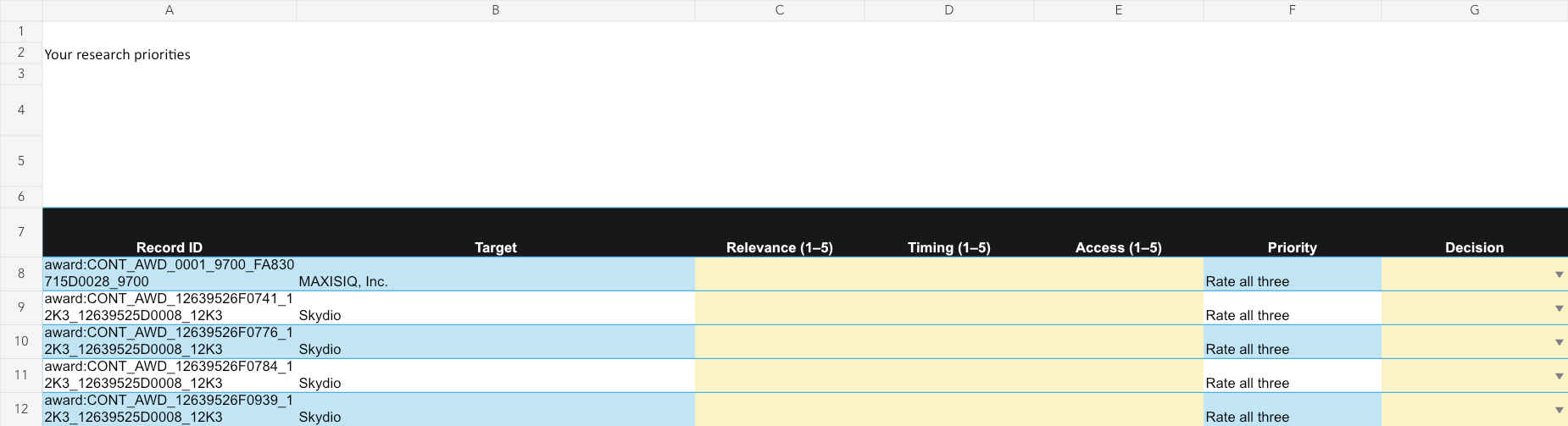
Buyer priorities worksheet with relevance, timing, access and next-action fields

Worksheet layout preview. Check current coverage on the workbook page.

Source-linked researchEditable Excel worksheetsCompanion CSV filesNo subscription

Start with your research task

Choose your workbook.

Four focused workbooks. Pick the one that matches your next decision.

Buyer research · Excel + CSV Enlarge ↗Buyer priorities worksheet with relevance, timing, access and next-action fields

01 · Buyer research · Excel + CSV

Build your government buyer shortlist.

Find agencies that have bought similar products and compare potential suppliers.

  • Contract awards and buyer summaries
  • Supplier comparisons
  • Editable prospect priorities

For Government sales and business development

$49Individual licenseTeam $129
View workbook
Excel + CSV · One-time purchaseFree CSV sample ↓
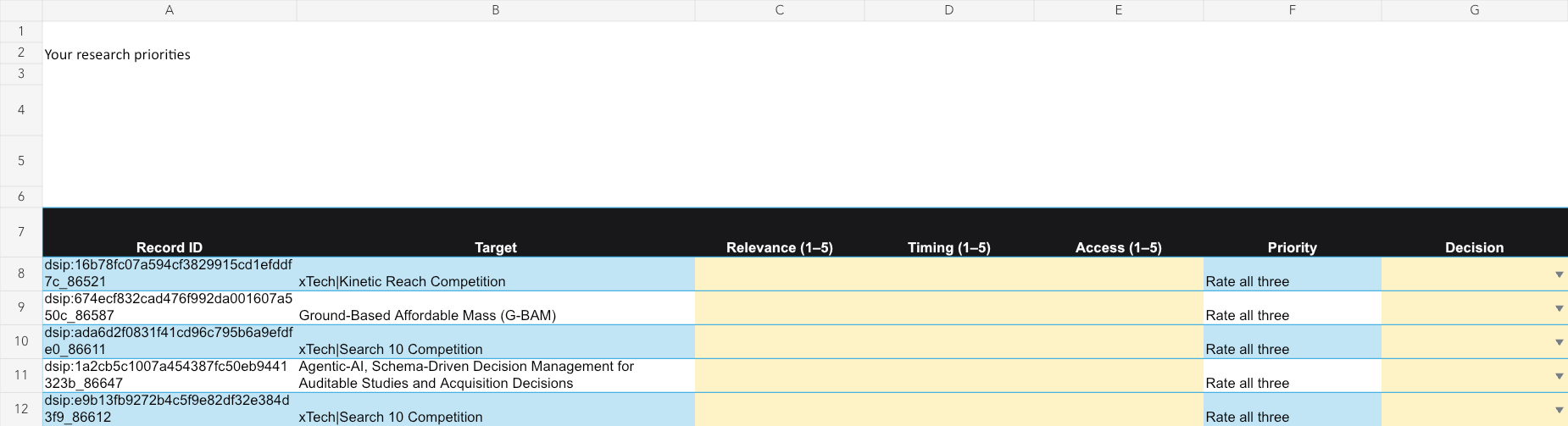
SBIR/STTR research · Excel + CSV Enlarge ↗SBIR/STTR priorities worksheet with editable ratings and decision fields

02 · SBIR/STTR research · Excel + CSV

Choose which funding topics to pursue.

Compare selected Defense SBIR/STTR topics and document your bid/no-bid reasoning.

  • Topic descriptions, requirements and Q&A
  • Instructions and source links
  • Editable decision worksheet

For Founders and proposal teams

$39Individual licenseTeam $99
View workbook
Excel + CSV · One-time purchaseFree CSV sample ↓
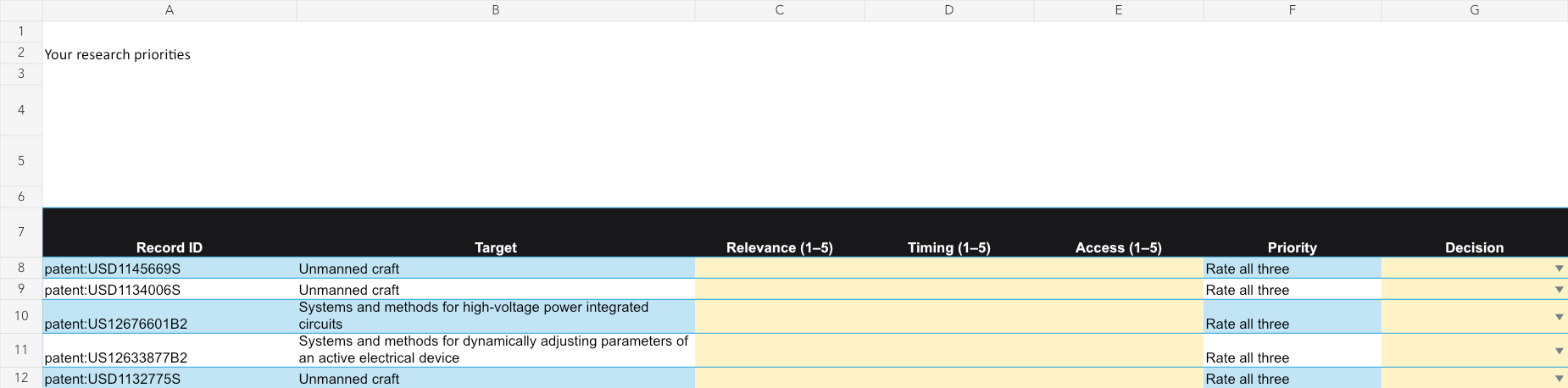
Company research · Excel + CSV Enlarge ↗Company research priorities worksheet with patent-related targets, ratings and decision fields

03 · Company research · Excel + CSV

Research partners and competitors.

Bring selected patents, awards and company filing links into one review.

  • Patent and award records
  • Available company filing links
  • Editable research priorities

For Partnerships and competitive research

$59Individual licenseTeam $149
View workbook
Excel + CSV · One-time purchaseFree CSV sample ↓
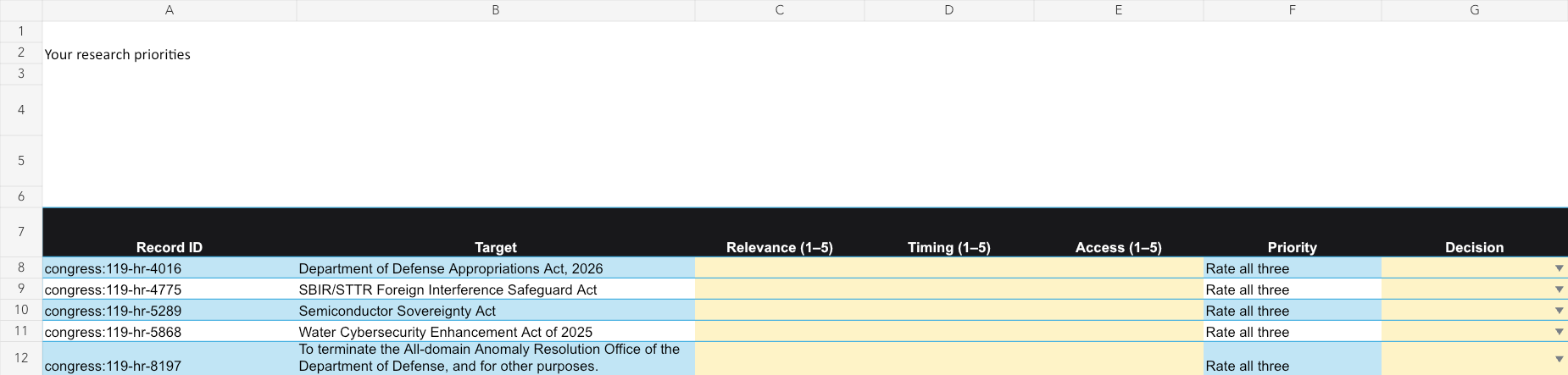
Policy research · Excel + CSV Enlarge ↗Policy priorities worksheet with selected policy records and editable ratings

04 · Policy research · Excel + CSV

Prioritize policy questions.

Review selected bills and policy documents, then record what needs investigation.

  • Selected policy records by topic
  • Jurisdiction comparisons
  • Editable action tracker

For Business operations and policy research

$39Individual licenseTeam $99
View workbook
Excel + CSV · One-time purchaseFree CSV sample ↓

Combine your research

Need more than one workbook?

Choose a combined working file or the complete collection.

Combined workbook

Market-entry research

Connect buyer, SBIR/STTR and policy research in one working file.

  • Buyer, funding-topic and policy comparisons
  • Editable market-entry priorities
  • Companion CSVs and source links
$99Individual licenseTeam $249
View bundle

The combined workbook reuses records from the focused packs. Prices cover the dated edition shown on each product page; future updates are not included.

From records to a working file

What does the workbook add?

You can browse public records with our free tools. The workbooks bring selected records, comparison tables and editable planning sheets into an organized download.

Prefer to start free? Search public records →
  1. 01

    Compare the research.

    Filter the tables and follow source links to check the records that matter to your company.

  2. 02

    Set your priorities.

    Use editable ratings and decision fields to document your team’s judgment.

  3. 03

    Assign the next action.

    Record an owner, due date and follow-up in the included planning worksheets.

Before you buy

A download.
No subscription.

Check the free samples and product coverage before choosing your workbook.

Have a question? Get in touch →
What files do I receive?

Excel workbooks, companion CSV files, instructions and source links. Each product page lists its contents and provides a free CSV sample.

What’s the difference between Individual and Team?

Individual covers one named user; commercial work and sharing resulting reports are allowed. Team allows unlimited internal users in one purchasing organization. Separate client companies, affiliates and portfolio organizations are not included.

How do I receive the workbook?

Checkout is hosted by Stripe. After payment is confirmed, your private receipt includes the download link and purchased license.

Are future updates included?

No. Your purchase covers the dated edition shown on the product page, with its collection dates and coverage notes.

Can I upgrade to Team later?

Individual buyers can upgrade the same edition from their private receipt by paying the price difference. Read the download terms.

Worksheet preview

Buyer priorities worksheet with relevance, timing, access and next-action fields

Worksheet layout preview. Example rows show the layout; check the current product page for coverage.

Your defense tech briefing

Security verification will run before you submit.