 Defense Tech Base
Research buyers
Compare agencies and reported purchases in the buyer summaries.
Buyer research · Excel + CSV
Identify potential government buyers and suppliers from past contract awards.
Individual $49 · Team $129 · One-time purchase
Inside the workbook
Inspect the worksheet layout, or download the free CSV sample to review source records.
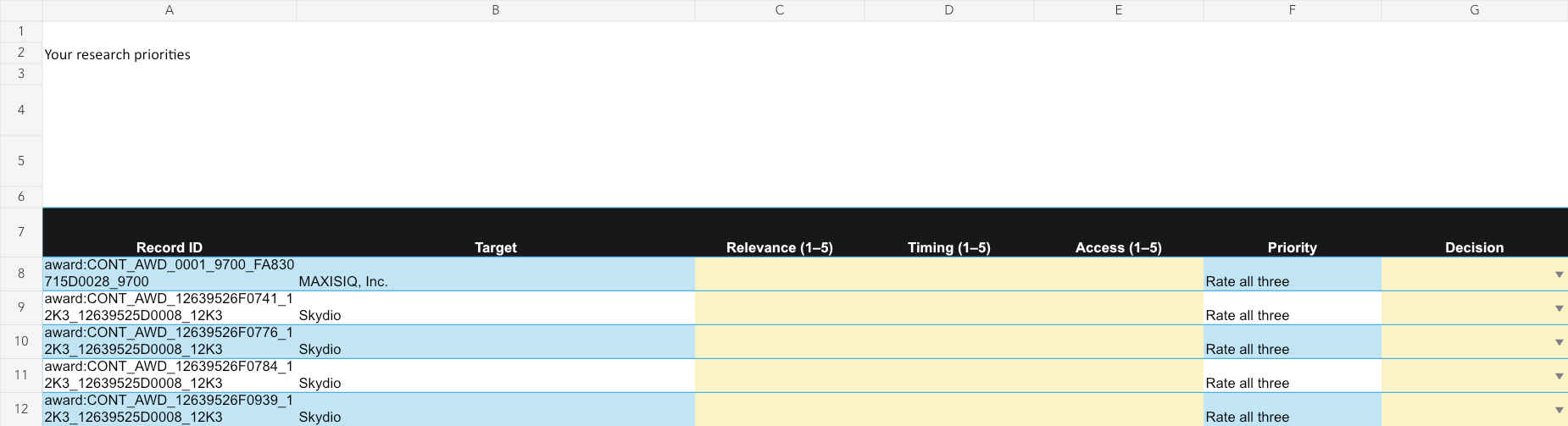
Worksheet layout preview. Check the included records and dated edition below for current coverage.
Try the free Excel sample ↓ Download free CSV sample ↓For government sales and business development teams.
Compare agencies and reported purchases in the buyer summaries.
Review selected suppliers and follow links to past awards.
Rate prospects and assign the next research action.
Includes prepared research and task-specific planning sheets: Award detail context, Buyer map, Pursuit plan. Source facts are separate from your editable inputs.
Starting selections: Recent reported purchases, grouped by capability and reported office.
Contract awards, buyer and supplier comparisons, editable prospect priorities
Edition 2026-10-14. Original source observation dates are included in the workbook.
Past awards show reported purchases. They are not open opportunities or a promise of future demand.
Table counts can overlap. Different views of the same records are not additional unique records.
Start with Buyer map to compare capability, reported offices, recent purchase examples and suppliers.
Use Pursuit plan to connect purchase evidence to your product proof, access questions and next actions.
Follow stable source IDs and original award links before treating an office as a prospect.
Ratings reflect your team’s judgment; they do not predict outcomes.
A ZIP containing an .xlsx workbook, companion CSVs, a README and your purchased license. No macros are required. Use the CSVs to import tables into another tool. Preview the worksheet layout before buying.
After Stripe confirms payment, your private receipt provides the download. Keep that receipt link. Individual buyers can use it to upgrade the same edition to Unlimited Team by paying the price difference. If delivery fails, contact us with your order number; never send card details.
Your purchase includes the 2026-10-14 edition. Later editions are sold separately.
This public page and its sample are free to share with your team. Purchased workbook access follows your selected license under the download terms.
Share this pack by email